See what your apps really cost.
Heftless measures every application’s true footprint, then finds the caches, orphaned files, developer build products, duplicates and startup items underneath. It shows you the list. Nothing moves until you confirm it.
Download for macOSFree · v1.1.0 · 4.0 MB · macOS 14 or later · Windows · Android
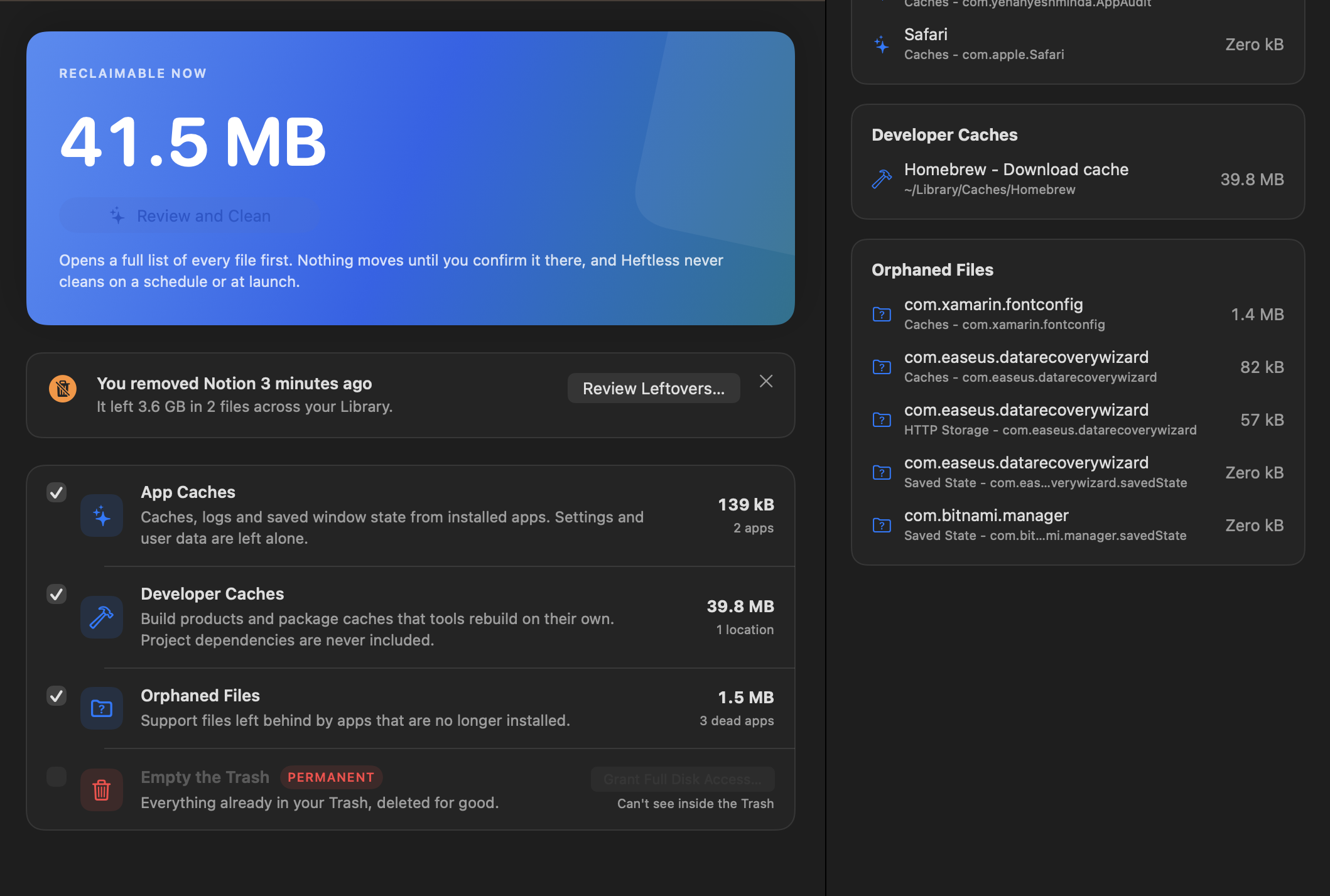
What it finds
- Applications
- Bundle size plus everything in ~/Library. Last opened, and whether it still needs Rosetta.
- Orphaned files
- Support data left by apps that are gone, grouped by the app that left it. Nothing touched in 30 days is reported.
- Developer caches
- DerivedData, simulators, Homebrew, npm, pip, Gradle, Cargo and the rest. node_modules is listed, never swept.
- Files
- Large and old, screenshots, installers, and Spotlight search inside documents. Never part of Clean Now.
- Duplicates
- Size, then a 64 KB sample hash, then full SHA-256. Build output excluded.
- Startup items
- Launch agents and daemons with the app that installed them. Broken and orphaned ones first.
Nothing moves without you
- Review first
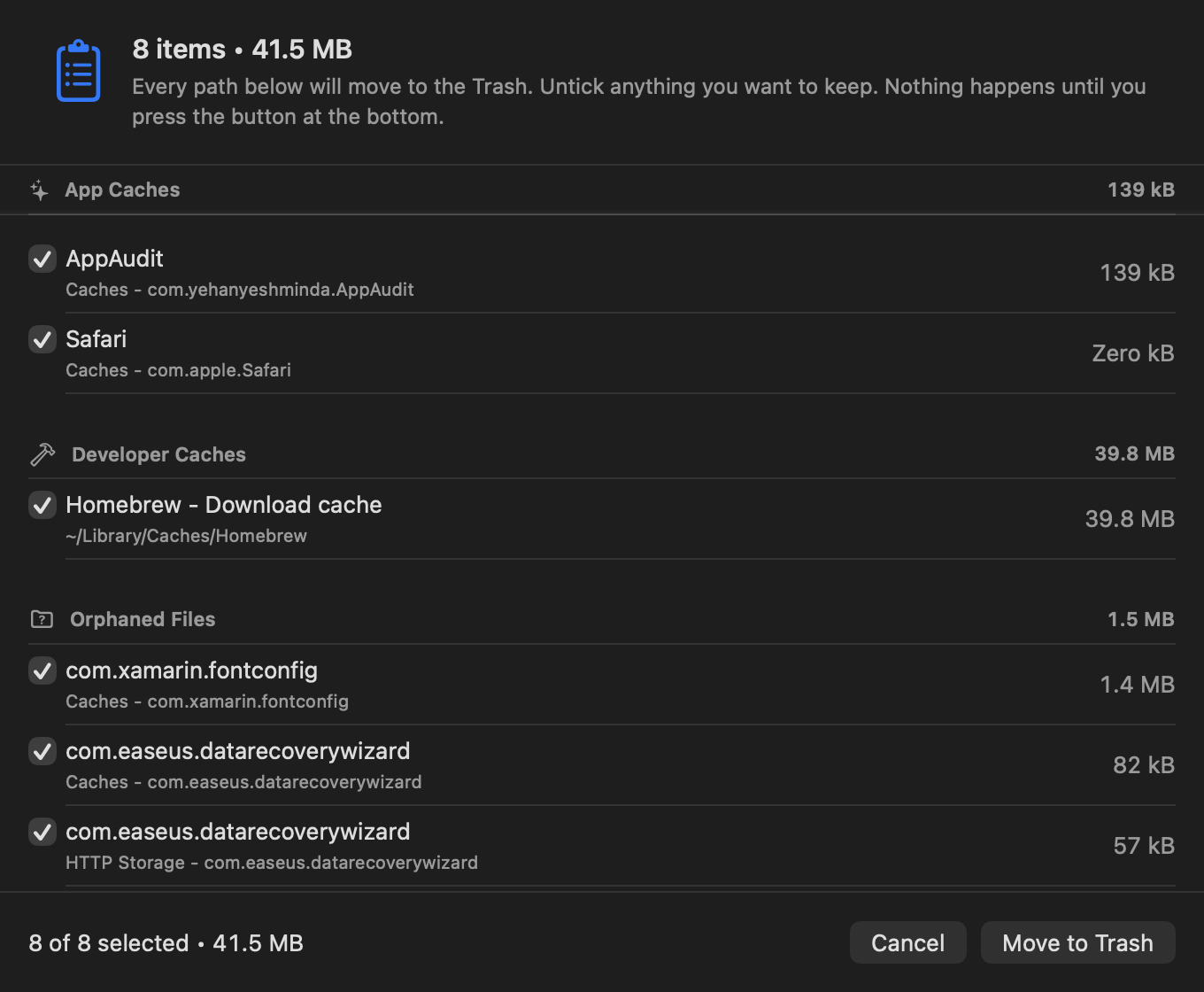
- Clean Now opens a sheet listing every path, each with a checkbox. The list you confirm is the list that runs.
- Trash, not delete
- Files move to the Trash through the same call Finder uses. Put Back (⌘Z) restores the whole cleanup.
- Automations only tell you
- Scheduled scans, the menu bar figure and nudges each have a switch in Settings. None of them can run a sweep.
Download
Free, with no account, no telemetry and no paid tier. The Mac app is a universal binary for macOS 14 or later. The Windows and Android apps are early previews: same rules, still being tested.
Download for macOSFree · v1.1.0 · 4.0 MB · macOS 14 or later · Windows · Android
Every build
- macOS 1.1.04.0 MBDownload
- Windows 0.1.0 preview · x6450.0 MBDownload
- Windows 0.1.0 preview · arm6448.1 MBDownload
- Android 0.1.0 preview · APK4.1 MBDownload
sha256 mac 2eada1427f9b… · win x64 967c4e468cb4… · win arm64 0df23f2aa779… · android 8204fa98fbe9…
First launch on macOS
- Unzip and move Heftless to Applications.
- Right-click it and choose Open. This build is not yet notarised, so macOS will ask once.
- If macOS refuses, run this once:
xattr -cr /Applications/Heftless.app
Grant Full Disk Access when the banner asks. It takes effect immediately.
First launch on Android
- Open the APK from your downloads. Android asks once to allow installs from your browser.
- Heftless asks for photo access and, in Android Settings, usage access. Both are optional and explained in place.
- Updates arrive inside the app, from this site, with Android's own confirmation each time.
First launch on Windows
- Unzip and run Heftless.exe. It is a single file and needs no installer.
- SmartScreen will say the publisher is unknown. Choose More info, then Run anyway. The build is not code-signed yet.
- Nothing needs administrator rights. Everything moves to the Recycle Bin, never deleted.